Check out these updates to iOS 26s motion sickness feature
Apple’s latest iOS 26 update has introduced a range of significant enhancements and system overhauls, but among the more subtle changes lies an intriguing feature known as Vehicle Motion Cues. Originally launched in the previous year as part of Apple’s expanded suite of accessibility tools, this feature aims to alleviate the motion sickness that many users experience while using their devices in moving vehicles, such as cars, buses, and trains. Leveraging on-device sensors, Vehicle Motion Cues creates an animated border of dots along the edges of an iPhone, iPad, or, as of a recent update, MacBook screen. This visual feedback responds to the vehicle’s movements, helping to reduce the sensory conflict that typically leads to discomfort during travel.
With the enhancements introduced in iOS 26, Vehicle Motion Cues has become even more user-friendly and customizable. Users can now select between a “regular” and a “dynamic” pattern for the animated dots. The regular pattern features consistent, repeating animations, while the dynamic option offers a more fluid, sensory-specific display that adapts to the user’s experience. Additionally, the update allows users to modify the color and size of the dots, catering to individual vision needs and preferences. This level of customization not only enhances the visual experience but also makes it easier for users to engage with their devices while on the go. The feature can be conveniently added to the device’s control center, enabling automatic activation as soon as the user enters a moving vehicle, making it an intuitive solution for those prone to motion sickness.
Apple’s commitment to accessibility is evident in these thoughtful updates, which aim to create a more inclusive experience for all users. By incorporating advanced machine learning technologies, such as eye-tracking and music haptics, along with innovative features like Vehicle Motion Cues, Apple continues to enhance the usability of its devices in a variety of contexts. These updates not only improve the overall user experience but also demonstrate Apple’s ongoing dedication to addressing the diverse needs of its customer base. As users explore the new functionalities of iOS 26, the enhanced Vehicle Motion Cues feature stands out as a prime example of how technology can be harnessed to improve everyday life, particularly for those who may struggle with motion-related discomfort.
Apple
‘s recent iOS 26 overhaul included a plethora of major additions and complete system makeovers, but there were even more tweaks, settings, and customization settings that flew under the radar for many users.
One of those was a subtle update to a feature known as
Vehicle Motion Cues
, launched last year as part of a new suite of accessibility tools, including eye-tracking powered by machine learning, music haptics, and vocal shortcuts controlled using not just whole words, but sounds and utterances as well.
SEE ALSO:
Apple iOS 27: Everything we know so far
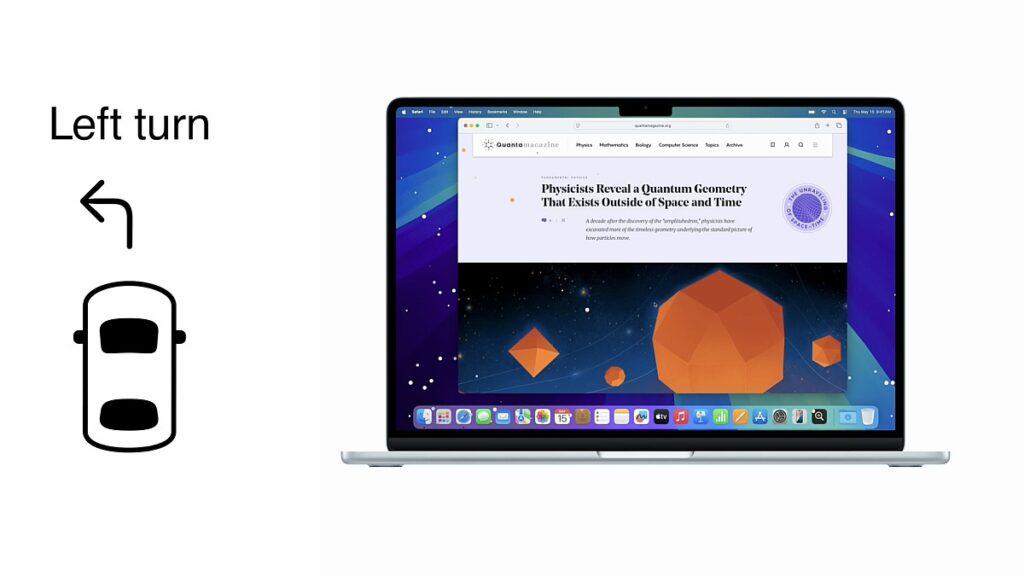
Using on-device sensors, Vehicle Motion Cues battle the kind of motion sickness commonly experienced by people staring at their screens while in cars, buses, and trains. When turned on, users will see an animated border of dots along the edge of your iPhone, iPad, or (in an update released earlier this year) MacBook screen. The dots move according to the movement of the vehicle, lessening the sensory conflict that leads to motion sickness.
On iOS 26, those features have
gotten even better
. Now, users can choose between a regular or “dynamic” pattern for those moving dots. The former displays consistent, repeating animations, while “dynamic” turns the dots into a more free-form, sensory-specific spectacle. Users can also now adjust the color and size of the on-screen dots, making it more adaptable to the user’s vision needs and the way they use their device while on the move.
Vehicle Motion Cues can be added to the device’s control center and automatically sense when in motion, so it’s easy to activate as soon as you get in the car.
And it’s super simple to turn on.


