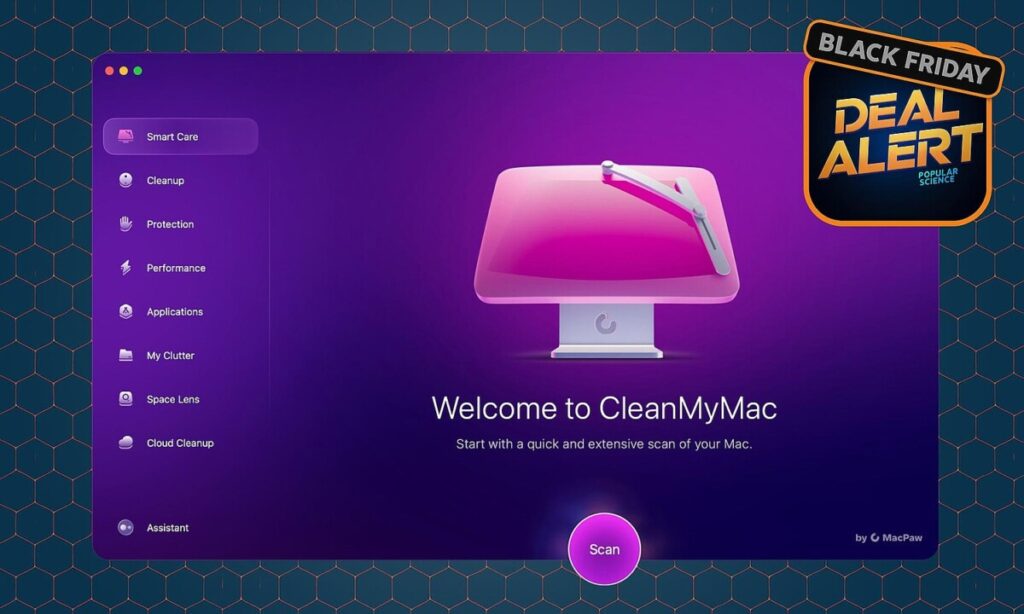
This 30% off Black Friday deal on CleanMyMac software will make your life easier all year
If you’ve been using a Mac for several years, you’re likely familiar with the common frustrations that arise as your system accumulates “system data,” login items, and an overwhelming number of browser tabs. While macOS offers various built-in tools to address these issues, they can often feel scattered and cumbersome to navigate. Enter MacPaw’s CleanMyMac, an all-in-one solution designed to streamline the maintenance and optimization of your Mac. Currently, MacPaw is offering a 30% discount on CleanMyMac plans, including its two feature tiers: Basic and Plus, making it an opportune time to invest in this software.
The **Basic** plan is tailored for users primarily interested in reclaiming storage space and enhancing the performance of older Macs. It includes essential features such as Smart Care, which automates several maintenance tasks with a single button press, and tools for cleaning up system junk, mail attachments, and even managing applications. Users can also benefit from the My Clutter section, which helps identify large or old files, duplicates, and forgotten downloads. However, it’s worth noting that the Basic plan does not include malware protection, cloud cleanup, or the advanced Space Lens feature. For those who simply want to keep their Macs running smoothly without diving deep into system settings, the Basic plan offers a straightforward solution.
On the other hand, the **Plus** plan is designed for users who treat their Macs as workstations and need more robust features. In addition to everything available in the Basic plan, Plus includes a Protection module that offers malware removal and privacy tools, as well as Space Lens for visualizing disk usage and Cloud Cleanup for managing files across multiple cloud services. This plan is ideal for users juggling various drives and cloud accounts or those who want an added layer of security without needing to learn a separate security application. The Plus plan’s Smart Care feature allows users to quickly perform a range of maintenance tasks, while the detailed monitoring tools help keep track of system performance and health.
Overall, whether you opt for the Basic or Plus plan, CleanMyMac provides a user-friendly interface that consolidates various maintenance tasks into one easily navigable application. With the current 30% discount, it’s an excellent opportunity for Mac users to enhance their system’s performance and manage storage more effectively. Whether you’re looking to simply clear out unwanted files or maintain a more complex setup with multiple drives and cloud services, CleanMyMac offers valuable tools to streamline your Mac experience. Don’t miss out on this chance to simplify your digital life—head over to MacPaw to take advantage of this limited-time offer!
If you’ve had a Mac for a few years, you probably know the routine: the SSD fills up with mystery “system data,” login items pile up, and fans spin up when you open too many browser tabs. macOS gives you tools to deal with all of that, but they’re scattered across Settings menus and Finder views.
MacPaw’s CleanMyMac tries to put those knobs and switches in one place. Right now, MacPaw is taking
30 percent off CleanMyMac plans
through its store, including both of the current feature tiers:
Basic
and
Plus
.
Deal link:
Get 30 percent off CleanMyMac at MacPaw
Basic vs. Plus: what’s the actual difference?
MacPaw now sells CleanMyMac in two feature plans:
Basic
and
Plus
. Both are available as subscriptions or one-time purchases; the deal knocks 30 percent off whatever configuration you pick at checkout.
CleanMyMac Basic
The
Basic
plan
is meant for people who mainly want to reclaim space and keep an older Mac from feeling bogged down. It includes:
Smart Care
Cleanup
(system junk, mail attachments, trash)
Performance
tools
Applications
tools (uninstaller, updater, leftover cleanup)
My Clutter
(large/old files, duplicates, similar images, downloads cleanup)
The Menu
(system monitors in the menu bar)
Mac health
monitoring
Assistant
optimization tips
What you
don’t
get in Basic:
The
Protection
module (malware removal, privacy, app permissions)
Space Lens
Cloud Cleanup
If you just want to clear space, uninstall apps cleanly, and keep startup items under control, Basic covers that.
CleanMyMac Plus
The
Plus
plan includes everything in Basic and adds tools for people who treat their Mac more like a workstation than an appliance:
Protection
module (malware removal, privacy tools, app permissions)
Space Lens
for visualizing disk usage
Cloud Cleanup
for iCloud, Google Drive, and OneDrive
Plus is better suited to anyone juggling multiple drives, cloud services, or who wants an extra layer of malware scanning without learning a whole new security app.
Smart Care: the “one big button” pass
CleanMyMac’s
Smart Care
is the front door to the app. Press one button and it chains together a handful of common maintenance tasks:
Deep junk cleanup
A quick scan for potential threats
A performance check
A look for available app/system updates
A storage declutter pass
Under the hood, it’s essentially orchestrating the same modules you can run individually. You don’t have to think about where to start. The downside: you still want to review what it’s about to delete instead of blindly trusting automation, especially on a system you rely on for work.
Cleanup & My Clutter: clearing space without hunting through Finder
Most people encounter CleanMyMac the first time they see the “your startup disk is almost full” warning.
Cleanup
The
Cleanup
tools focus on files that are usually safe to toss:
System junk:
caches, temp files, leftover logs, language packs, and other cruft macOS doesn’t bother to surface.
Mail attachments:
local copies of attachments that already live in your email account.
Trash bins:
all the different Trash locations on your system, not just the main Dock icon.
You
can
dig most of this out manually, but it’s tedious. Cleanup’s value is putting it in one list where you can quickly sanity-check the results.
My Clutter
The
My Clutter
section tries to deal with the stuff you’ve forgotten about:
Large & old files:
surfaces big, long-neglected items buried in your home folder.
Duplicates:
looks for duplicate files you may have scattered across drives.
Similar images:
clusters near-duplicates from burst shots or photo dumps so you can decide what to keep.
Downloads cleanup:
surfaces old downloads that quietly stack up over time.
This is the part that’s closest to what a power user might already do with Finder smart folders and terminal commands, just wrapped in a UI most people will actually use.
Applications: uninstalling apps without leaving debris
Dragging an app to the Trash doesn’t remove everything it installed. CleanMyMac’s
Applications
tools try to close that gap:
Uninstaller:
looks up the app’s related files (support folders, launch agents, preferences) and removes them together.
Updater:
scans apps you’ve installed and offers to update them from one screen (the App Store edition has some limitations here).
Leftovers:
finds orphaned files from apps you deleted years ago but never fully removed.
Again, macOS can do some of this, but not in one panel. If you install and uninstall a lot of software, this is one of the more practical parts of the suite.
Performance: taming login items and background tasks
The
Performance
category focuses on the “why is this suddenly slow?” moments:
Maintenance tasks:
runs a set of scripts and database cleanups that macOS normally handles quietly over time—reindexing certain caches, repairing some permissions, and similar low-level chores.
Login & background items:
shows what’s set to run at login or in the background and lets you turn them off or remove them. CleanMyMac itself hooks into macOS’s “Allow in the Background” framework here, so it’s playing by Apple’s rules rather than working around them.
You could do most of this via System Settings and a lot of manual digging, but the point here is visibility: you see what’s running, how heavy it is, and you can trim without spelunking through multiple folders.
Protection (Plus only): malware and privacy tools
On
Plus
, CleanMyMac adds a
Protection
module that tries to cover the “lightweight security” niche:
Malware Removal:
scans for adware, keyloggers, coin miners, and other common threats using MacPaw’s Moonlock engine.
Privacy:
clears browser traces (history, cookies, autofill data) and recent-item lists from some apps.
App permissions:
surfaces which apps can access things like your camera, microphone, or files so you can revoke access if something looks wrong.
It’s not a full replacement for a dedicated enterprise-grade security suite if you’re in a high-risk environment, but it does go beyond “cleaning junk” in a way that’s probably enough for a lot of home users.
Space Lens (Plus only): a map of your storage
Space Lens
is a visual disk map: it turns your drive into a zoomable chart of folders and files, sized by how much space they consume.
If you’ve used other “treemap” storage tools, this will feel familiar. It’s mainly useful when:
You know your drive is full but can’t immediately see why.
You’re juggling multiple external drives or partitions.
You’d rather click through a visualization than drill down in Finder.
Once you’ve identified a big folder or file, you can jump directly to it and decide what to delete.
Cloud Cleanup (Plus only): less money to Apple and Google
Cloud Cleanup
is one of the newer pieces and only shows up in the Plus plan. It connects to iCloud Drive, Google Drive, and OneDrive, then builds a dashboard of what’s eating space in each account.
Flags giant video files, old archives, and long-forgotten backups.
Shows which synced cloud items are also chewing up space locally on your Mac.
Lets you clear junk so you’re less likely to keep bumping into “upgrade your cloud storage” prompts.
If you barely use cloud storage, you can ignore this. If you live in shared folders and constantly hit storage ceilings, it might be the thing that justifies going for Plus over Basic.
The Menu, Mac health, and Assistant: quiet background monitoring
Both plans include
The Menu
, a small menu bar component that keeps an eye on:
Storage space
Memory usage
CPU load
Battery health
Network activity
Connected devices
Alongside that,
Mac health
and the
Assistant
offer small nudges—suggesting maintenance tasks, pointing out potential issues, or reminding you when something’s running hotter or slower than usual.
If you don’t like background helpers, you can turn this off and just run scans manually.
Which plan makes sense?
If you’re trying to decide how to use the 30 percent discount:
Pick Basic if:
You mainly care about cleaning space and uninstalling apps cleanly.
You’re comfortable relying on macOS and your own habits for security.
You want a “hit this button when things feel slow” tool more than constant monitoring.
Pick Plus if:
You juggle a lot of cloud storage, external drives, or big creative projects.
You want malware and privacy tools bundled into the same interface.
You like seeing a clear picture of where your storage went, both locally and in the cloud.
Either way, the discount applies across device counts and billing options at the MacPaw Store, so you can scale up if you’re maintaining more than one Mac.
Get 30 percent off CleanMyMac at MacPaw
The post
This 30% off Black Friday deal on CleanMyMac software will make your life easier all year
appeared first on
Popular Science
.